Health Sync: Google to Apple
Bring your Google health and fitness data into Apple Health — automatically, privately, entirely on your iPhone.
Download on the App Store Requires iOS 16 or later and a Google account.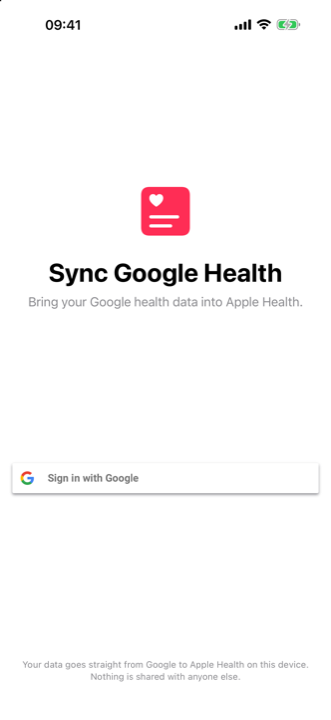
Why Health Sync?
Private by design
Your data goes straight from Google to Apple Health on your device. No middleman server — nothing is shared with anyone.
17 data types
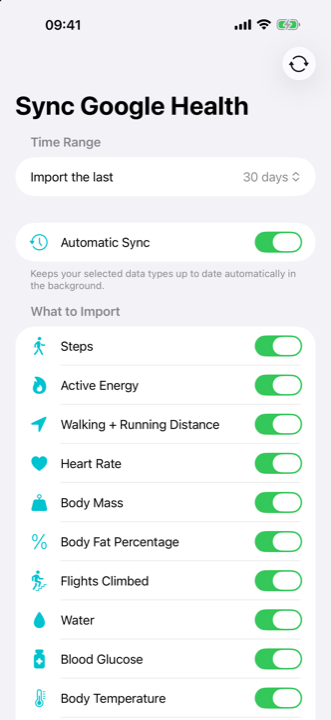
Steps, heart rate, sleep, active energy, distance, body mass, blood oxygen, VO₂ max, hydration and more.
Automatic sync
Enable it once and iOS keeps Apple Health up to date in the background, about once a day, with a notification on completion.
No duplicates, ever
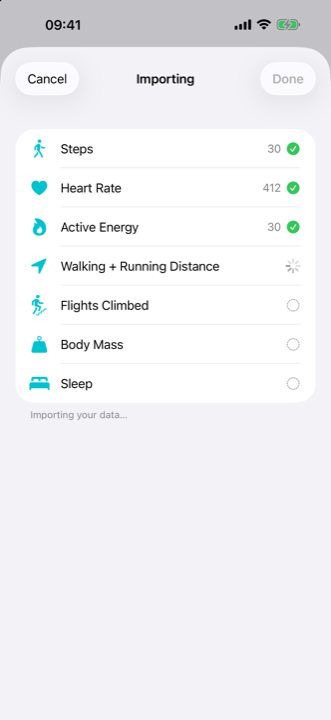
Re-running an import updates existing entries instead of adding copies — your daily totals stay correct.
Backfill your history
Import anything from the last hour up to a full year of history in one run.
Speaks your language
Localized in 26 languages, including French, German, Spanish, Japanese and Simplified Chinese.
How it works
- Sign in with your Google account. Read-only access, official Google sign-in.
- Choose what to import and how far back. Per-metric toggles, from 1 hour to 1 year.
- Import — or let automatic sync do it daily. Watch each metric land in Apple Health.
Your data stays yours
Health Sync has no server, no account, and no ads. Health values never leave your phone — read the privacy policy for the full picture. Questions? Visit the support page.